Fix for "Each row in the Query Result Columns..." when extending VO
When you are extending a VO you can quite often run in to the error “Each row in the Query Result Columns must be mapped to a unique query attribute in the Mapped Entity columns”. The error is related to the view object you are trying to extend and indicates that there is something wrong with it. If you search for this error on My Oracle Support you will see that the fix is to get a patch that replaces the base VO that the problem is related to.
One potential error is that there are some CASE problems in the base VO declaration. For example, a selected column is named PartyId in the query but under Attributes the name is partyId. Though java is case-sensitive you can run into problems.
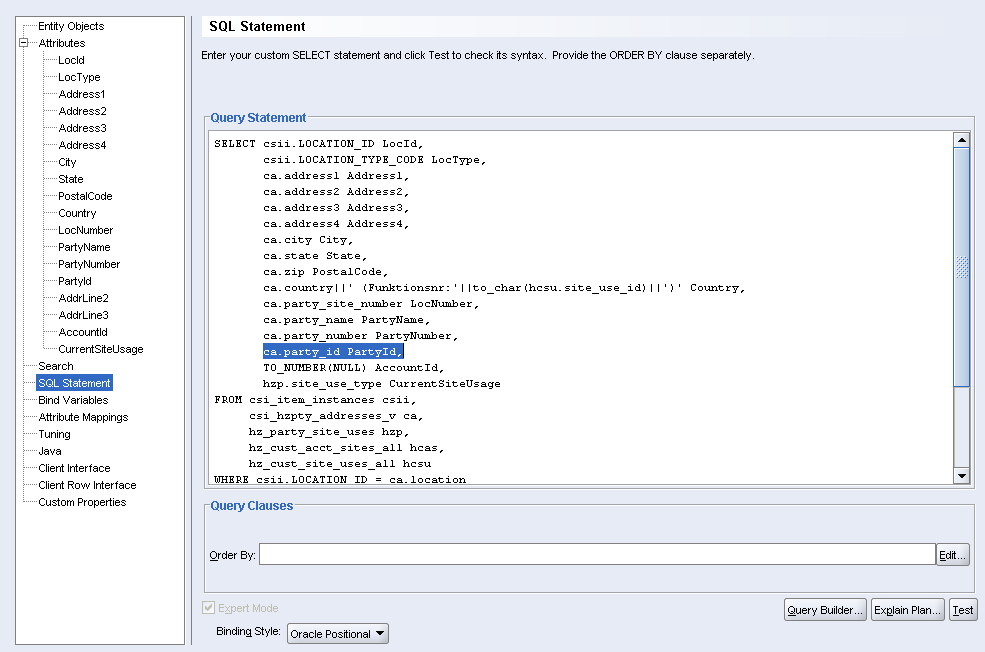
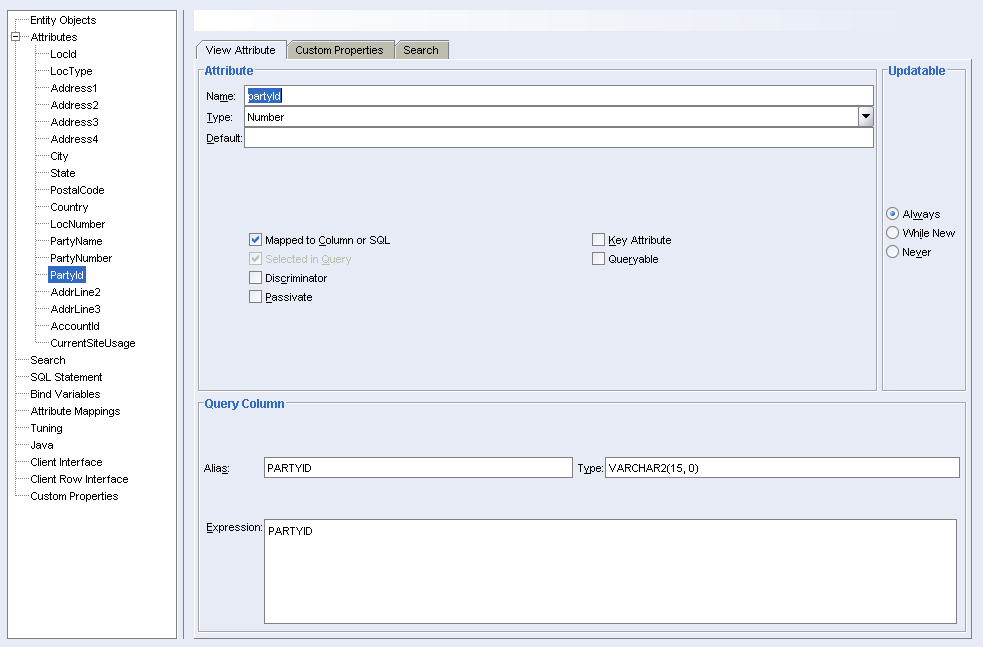
If you google this problem you will find a few different potential solutions, but of the ones I have found, the solution below is the most reliable.
- Create your extended view object without changing anything.
- Open up you newly created VO and click on the tree node “Attributes”.
- Click the “New…” button and create your new column (a transient attribute will be created).
- Save and reopen the VO.
- Now change the Query Statement and add the new column in your select (the new column must have the same alias as the column added in step 3).
- Save and reopen the VO.
- Change the attribute you added in step 3. Make sure you check “Mapped to Column or SQL” and that the rest of the settings are correct.
- Done
Note: When I have added the column in the select statement I sometimes get errors in the attribute names (the error can be seen under the “Attributes” tree node).
- two many attributes
- the names are corrupted
To fix this error close the VO declaration and go to the file system and open up the
7 comments
Archived from the original blog on Blogger. New comments are closed for now.
JoseAróstegui
I can't even extend the original without modifiying anything, as I get the error.
Did it ever happen to you?
Thanks a lot!
Jose.
Daniel BorgströmAuthor
If I were you I would investigate the original and see if you have any CASE issues or any other problem that you can see. If you find anything, fix this in the original VO and try to extend again.
I'm sorry that I can't be more specific.
Regards,
Daniel
Anonymous
If you are getting error 'Each row in the Query Result Columns must be mapped to a unique query attribute in the Mapped Entity columns', you are better off logging an SR with Oracle and get a patch for that. I had this issue on R12 12.1.3 with all my iExpense VOs and quick came a patch from Oracle that resolved this error on all files.
Regards,
Subhash V.
Oracle Applications Analyst
Innosoft Corporation
Anonymous
I am also stuck with the iexpenses VO with the same error. I have logged a SR with Oracle, but they are sitting on it even after escalations.
Can you please provide the patch number so that I can at least push oracle to check if that patch can be applied.
Thanks
Shanku
Pawan Saraswat
It worked for me. Thanks a lot. Today i learned in-depth to extend a VO.
Thanks,
Pawan
Anonymous
I also got the error noted in the first post : "I can't even extend the original without modifiying anything, as I get the error.
". The solution was to take away all columns from the original query that contained aliases.
Best regards
Christian
Anonymous
Thank you for the post.